Introduction
Get started with OpenCode.
OpenCode is an open source AI coding agent. It provides terminal interface, desktop app, and IDE extensions.
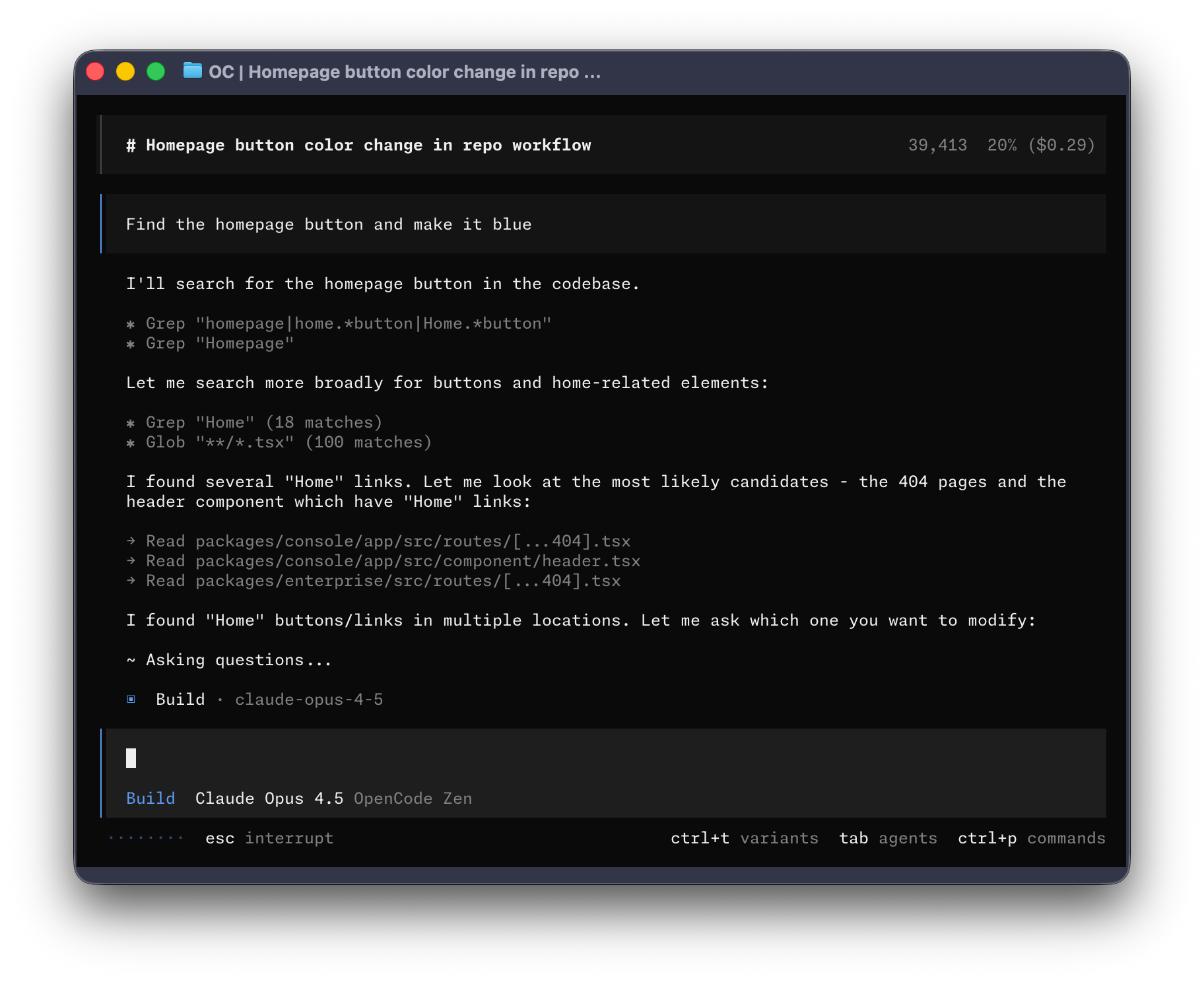
Let's get started.
Prerequisites
To use OpenCode in the terminal, you need:
-
A modern terminal emulator, such as:
-
An API key for the LLM provider you want to use.
Quick Start
The easiest way to install OpenCode is via the installation script:
curl -fsSL https://opencode.ai/install | bashAfter installation, run opencode to start.
Features
- LSP Support - Automatically loads the right LSP for LLM
- Multi-session - Launch multiple agents in parallel in the same project
- Share Links - Share any session link for reference or debugging
- GitHub Copilot - Sign in with GitHub to use your Copilot account
- ChatGPT Plus/Pro - Sign in with OpenAI to use your ChatGPT Plus or Pro account
- Any Model - Supports 75+ LLM providers via Models.dev, including local models
- Any Editor - Terminal interface, desktop app, and IDE extensions
Installation
Multiple ways to install OpenCode.
Using curl
curl -fsSL https://opencode.ai/install | bashThis will install the OpenCode CLI.
Using npm
npm i -g opencode-aiUsing bun
bun add -g opencode-aiUsing brew
brew install anomalyco/tap/opencodeUsing paru (Arch Linux)
paru -S opencodeDesktop App
You can also download the desktop app:
Install Desktop App with brew
brew install --cask opencode-desktopIDE Extensions
OpenCode provides the following IDE extensions:
- VS Code - The most popular code editor
- Cursor - AI-native code editor
- Zed - High-performance code editor
- Windsurf - Next-gen AI editor
- VSCodium - Open source version of VS Code
Verify Installation
After installation, run the following command to verify:
opencode --versionIf it displays the version number, the installation was successful.
Configuration
Customize OpenCode's behavior.
Configuration File
OpenCode uses JSON configuration files. You can create an opencode.json file in your project root directory to configure it.
Basic Configuration
{
  "provider": "anthropic",
  "model": "claude-3-5-sonnet-20241022",
  "apiKey": "your-api-key"
}
Configuration File Locations
- Project Config:
./opencode.json - User Config:
~/.opencode/config.json
Model Configuration
You can configure different models for different tasks:
{
  "models": {
    "default": "claude-3-5-sonnet-20241022",
    "fast": "gpt-3.5-turbo",
    "code": "claude-3-5-sonnet-20241022"
  }
}
Tools Configuration
OpenCode has built-in tools that you can enable or disable as needed:
{
  "tools": {
    "fileOperations": true,
    "terminal": true,
    "codeSearch": true,
    "webSearch": false
  }
}
Rules Configuration
You can customize OpenCode's behavior through rules files:
# .opencode/rules.md
- Always use TypeScript
- Follow ESLint rules
- Use functional components
- Prefer const over let
Theme Configuration
OpenCode supports custom themes. You can specify it in the configuration file:
{
  "theme": "opencode"
}
Available themes include: opencode, dark, light, monokai, etc.
Keybinding Configuration
You can customize keybindings:
{
  "keybindings": {
    "submit": "Enter",
    "newLine": "Shift+Enter",
    "clear": "Ctrl+L"
  }
}
Usage
Multiple ways to use OpenCode.
Terminal Usage
Run OpenCode in the terminal:
opencodeThis will start the interactive TUI interface.
Basic Commands
opencode- Start interactive interfaceopencode "your question"- Ask a question directlyopencode --help- View helpopencode --version- View version
TUI Shortcuts
Enter- Send messageShift+Enter- New lineCtrl+C- Cancel current operationCtrl+L- Clear screenCtrl+N- New session
Desktop App
The desktop app provides a graphical interface, suitable for developers who prefer visual operations. After downloading and installing, you can:
- Write and edit code directly in the app
- Use the built-in terminal
- Manage multiple projects
- Configure different AI models
IDE Extensions
Use OpenCode in your IDE:
VS Code
- Open VS Code Extensions marketplace
- Search for "OpenCode"
- Click Install
- Use
Ctrl+Shift+Pto open the command palette, type "OpenCode"
Cursor
Cursor has built-in OpenCode support, no additional installation required.
Web Interface
OpenCode also provides a web interface that you can use in your browser:
opencode webThis will start a local web server, default address is http://localhost:3000.
Usage Tips
- Context Aware - OpenCode automatically reads project files to provide more accurate suggestions
- Multi-turn Dialogue - Supports continuous dialogue, maintaining context
- Code Review - Can have OpenCode review your code and suggest improvements
- Documentation Generation - Automatically generates code documentation and comments
Providers
Configure different AI providers.
Supported Providers
OpenCode supports 75+ LLM providers, including:
Anthropic (Claude)
{
  "provider": "anthropic",
  "model": "claude-3-5-sonnet-20241022",
  "apiKey": "sk-ant-..."
}
Available models: claude-3-5-sonnet-20241022, claude-3-opus-20240229, claude-3-haiku-20240307
OpenAI (GPT)
{
  "provider": "openai",
  "model": "gpt-4",
  "apiKey": "sk-..."
}
Available models: gpt-4, gpt-4-turbo, gpt-3.5-turbo
Google (Gemini)
{
  "provider": "google",
  "model": "gemini-pro",
  "apiKey": "AIza..."
}
GitHub Copilot
{
  "provider": "github",
  "model": "copilot"
}
Requires authorization first with opencode auth github.
ChatGPT
{
  "provider": "chatgpt",
  "model": "gpt-4"
}
Requires authorization first with opencode auth openai.
Local Models
You can use tools like Ollama to run local models:
{
  "provider": "ollama",
  "model": "codellama",
  "baseUrl": "http://localhost:11434"
}
Custom Providers
You can add custom providers:
{
  "providers": {
    "custom": {
      "name": "Custom Provider",
      "baseUrl": "https://api.example.com/v1",
      "apiKeyHeader": "Authorization"
    }
  }
}
Advanced Features
Explore OpenCode's advanced features.
LSP Support
OpenCode supports Language Server Protocol (LSP), which can provide more accurate code context for LLM:
- Automatically detects project type
- Loads the appropriate LSP server
- Provides code completion, error checking, and other features
Configure LSP
{
  "lsp": {
    "typescript": {
      "command": "typescript-language-server",
      "args": ["--stdio"]
    },
    "python": {
      "command": "pyright-langserver",
      "args": ["--stdio"]
    }
  }
}
MCP Servers
Model Context Protocol (MCP) allows OpenCode to connect to external tools and services:
{
  "mcp": {
    "servers": {
      "filesystem": {
        "command": "mcp-server-filesystem",
        "args": ["/path/to/dir"]
      },
      "database": {
        "command": "mcp-server-database",
        "args": ["--connection-string", "..."]
      }
    }
  }
}
Agent Skills
OpenCode supports custom skills to extend the agent's functionality:
# .opencode/skills/deploy.md
---
name: deploy
description: Deploy project to production
---

Execute the following steps:
1. Run tests
2. Build the project
3. Deploy to server
SDK
OpenCode provides an SDK to integrate AI coding capabilities into your own tools:
JavaScript/TypeScript
import { OpenCode } from 'opencode-sdk';

const client = new OpenCode({
  provider: 'anthropic',
  apiKey: 'your-api-key'
});

const response = await client.chat('Explain this code');
console.log(response);
Python
from opencode import OpenCode

client = OpenCode(
    provider='anthropic',
    api_key='your-api-key'
)

response = client.chat('Explain this code')
print(response)
Plugin System
OpenCode supports plugin extensions:
{
  "plugins": [
    "opencode-plugin-eslint",
    "opencode-plugin-prettier"
  ]
}
API Reference
Complete API reference documentation: